To Run a website We need 3 components :
- Application web code
- Web server
- Host machine running the webserver
Some webserver examples are : Ngnix and Apache (used in wordpress) and HodeJS
GET requests retrieve data from the server whereas POST requests submit data to the servers
CDN :
They are servers hosting your static part (Example : Media) of application around different locations to reduce physical latency, These absorb lot of DDoS attacks and hide IP of main server.
For your code to run in a remote cloud server, the server must have all languages, modules etc. installed to run To run your code perfectly we need to convert it to executable format (Called Building) Ex : Maven So these are the steps :
Development ⇒ pushing to github ⇒ Extracting from Github ⇒ Building ⇒ Testing the new Build ⇒ Deploy the Build
for Building process its usually converting the .js ⇒ executable for better performance and shipping it
some examples for building :
- mvn install (java)
- npm run (NodeJS)
- webpack etc…
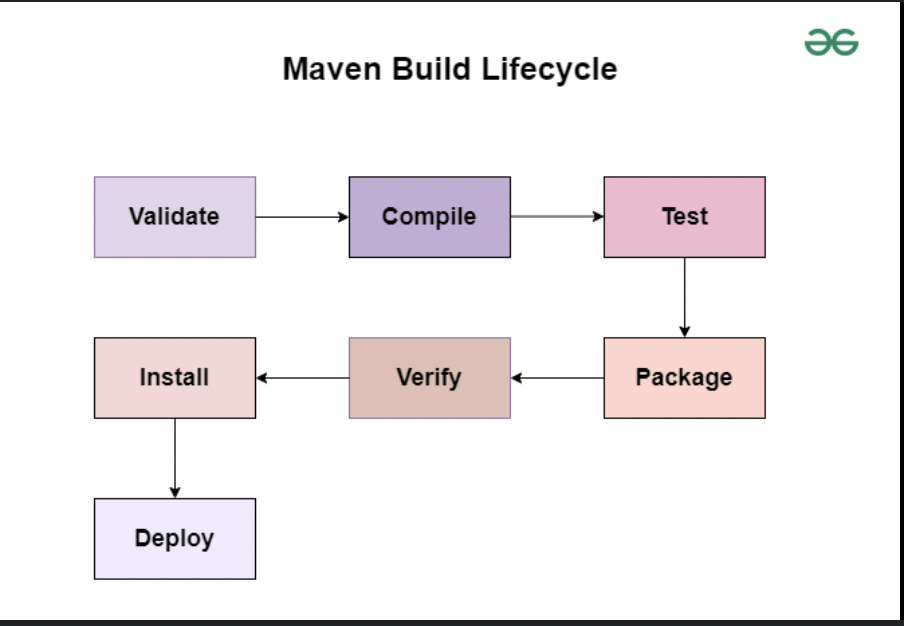 After building it is testing if executable is working fine or not and then it is deployed
API’s :
these are a way for communication with each other using mostly HTTP/HTTPS When someone visits the URL, The JS issues a API request to API endpoint (The URL) then a API request is issued and API gets the information in JSON which is displayed by the JS to the user
So technically anyone can issue API request from a API endpoint to get the info in JSON except the case where Authentication is needed, ie Authorization header in the request must be correct, misconfiguration here will cause Broken Access Control Vulnerability and Broken user Authentication
Example : The API endpoint : /api/user/profile
GET /api/user/profile?id=1001
Authorization: Bearer <JWT>
So visiting this endpoint the server returns information :
{
  "id": 1002,
  "name": "Rahul",
  "email": "rahul@example.com",
  "balance": 98000
}
But vulnerability is that the server dosen’t check that id= to be checked is not equal to present_id
Example 2:
-
User Request
- The user enters a URL (e.g.,
https://example.com) in the browser.
- The user enters a URL (e.g.,
-
Initial Web Request
- The browser sends an HTTP/HTTPS request to the web server for the webpage.
-
Frontend Load
- The server responds with:
- HTML (structure)
- CSS (styling)
- JavaScript (logic)
- The server responds with:
-
JavaScript Execution
- The browser parses the HTML and executes the JavaScript code.
-
API Request
- JavaScript sends an API request to an API endpoint (URL), typically using
fetch()orXMLHttpRequest. - Example:
GET /api/user/profile
Authorization: Bearer <JWT>
- JavaScript sends an API request to an API endpoint (URL), typically using
-
API Processing
- The backend API:
- Validates authentication and authorization
- Applies business logic
- Queries the database if required
- The backend API:
-
API Response
- The API returns a response, usually in JSON format.
- Example:
{
  "name": "Sulaiman",
  "role": "User"
}
-
Frontend Rendering
- JavaScript receives the JSON response.
- The data is processed and dynamically rendered on the webpage.
-
Result Displayed to User
- The updated UI is shown to the user without a full page reload.